
How to Login, Logout & User Roles
You will need a valid SUNet ID and request access to add or edit the content on an SDSS website. Each website on the SDSS platform requires separate access. For example, if you need edit access on the main school site and a department site, those are two separate requests (that can be added to the same ticket).
Request a user account
If you need access to edit a website, contact your local web team or the school's Web & Applications team to request permission to edit content on your SDSS website.
Logging in
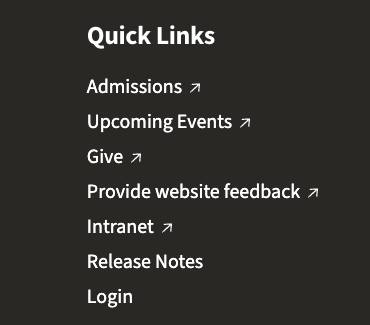
- Once you have been granted access to your site, scroll to the bottom of your website and click the "Login" link.
- OR navigate to [your site url]/saml_login (i.e. https://sustainability.stanford.edu/saml_login).
- Enter your SUNetID to log in.
Logging out
Occasionally you may want to logout to see what the site looks like to the general public.
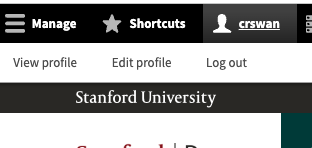
- In the top Admin menu (black strip at top of screen after login), click on your SUNETid.
- Logout is right below your SUENTid.
User Roles
Editors
Anyone who has access to edit your web site usually has the role of 'Site Editor' or 'Administrator'.
Below is a list of what each type of role has access to, with the ability complete certain tasks.
| Permission | Administrator | Site Editor |
|---|---|---|
| Add content | ✔️ | ✔️ |
| Edit content | ✔️ | ✔️ |
| Unpublish content | ✔️ | ✔️ |
| Delete content | ✔️ | |
| Role delegation | ✔️ | |
| Create taxonomy terms | ✔️ | |
| Create media | ✔️ | ✔️ |
| Delete media | ✔️ | |
| Add content importers | ✔️ |