
Media Mentions
The SDSS stack has a special features for handling news from external sources.
By default, any news with a URL in the External Source field will redirect out to the external source from a teaser, a list, or in search results. In all other regards, these news items will appear just like other news items.
However, the SDSS stack also has a checkbox where you can indicate something is a "media mention."
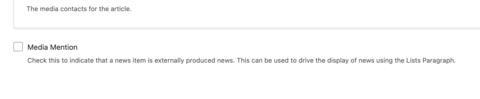
If you check this box on a news item, there are the following effects:
- The news item will not appear in on-site search results for the site
- The news item will not appear in on-site search results in the news search
- The news item will not appear in the Explore More section on individual news pages. (This display uses the same Card Grid, No Media Mentions display used in the List Paragraph.)
- You can take advantage of several specialized Lists Paragraph options, described below
Lists Paragraph news options
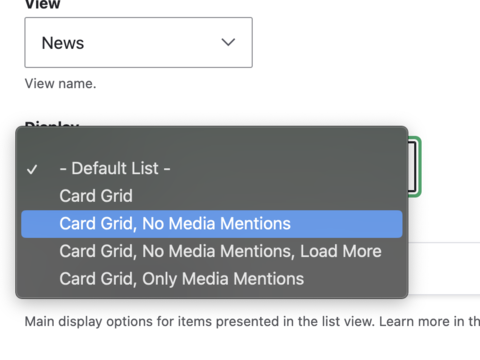
In addition to the default list view and card list, the following list options are available.
Card Grid, No Media Mentions. This is the same as the standard card grid, but without any news items that have the Media mention checkbox checked.
Card Grid, No Media Mentions, Load More. This is the same as the news card list, with a Load More feature, but without any news items that have the Media mention checkbox checked.
Card Grid, Only Media Mentions. This is the same as the standard card grid, shows only news items that have the Media mention checkbox checked.