
Adding Content
Main content start
Learn some of the basics: creating and adding sections & paragraphs.
Creating a Basic Page Adding Sections Adding Paragraphs
Creating a new Basic Page
- See Stanford Sites user guide for how to create a new basic page.
- Example Basic Page
Adding a Section
Before you can add content (with Paragraphs), you need to add a Section.
Sections allow you to control the layout of Paragraphs with the use of rows & columns.
- Under the Paragraphs section, click on Add section to begin.
Select the column layout you'd like.
- Note: 4 column with Header and Footer is meant for use only on the main News & Event landing page.
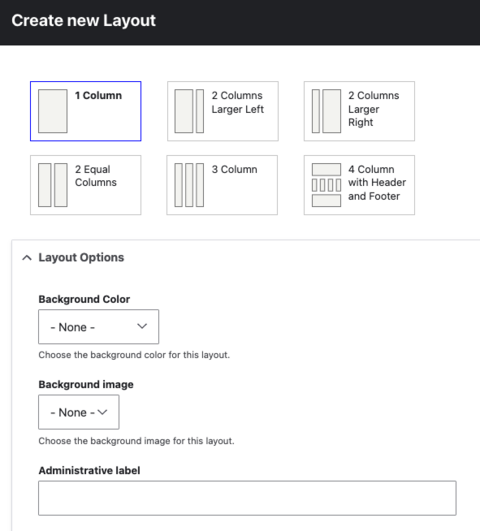
- Note: 4 column with Header and Footer is meant for use only on the main News & Event landing page.
Hover over the section you just added and click on the + sign to start adding content (in a paragraph).
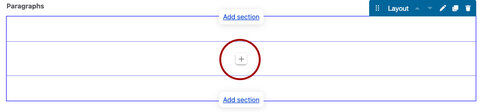
Adding a paragraph
- The following paragraphs are available to place in a Section. From the pop up, choose your paragraph.
Once you have chosen a Paragraph type, you will be prompted with the editing area for that Paragraph type.

Learn more about each Paragraph type